
TrackerRMS
Region
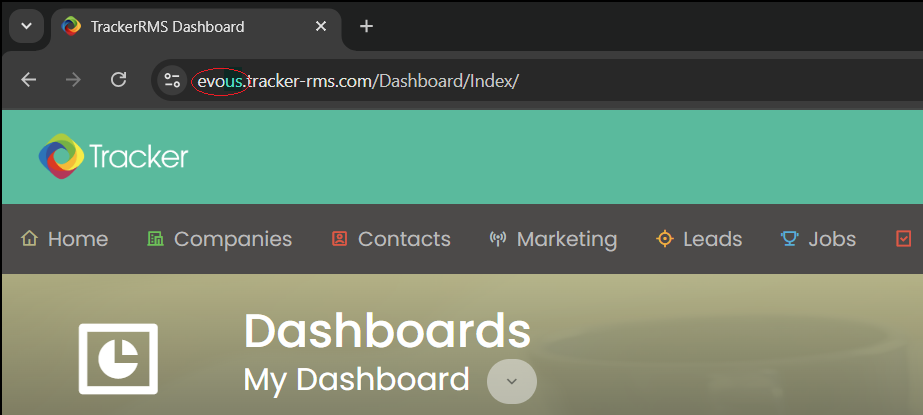
Determine which region your TrackerRMS account is hosted in by checking the subdomain in your TrackerRMS login URL. For example, if you log in at acme.tracker-rms.com, then acme is your subdomain.evous -> select USevoca -> select Canadaevogl -> select UK and Rest of World
Obtain Access Token
-
Log in to TrackerRMS.
-
In the top-right corner, click on your username, and then select
Tools & Settingsfrom the dropdown menu.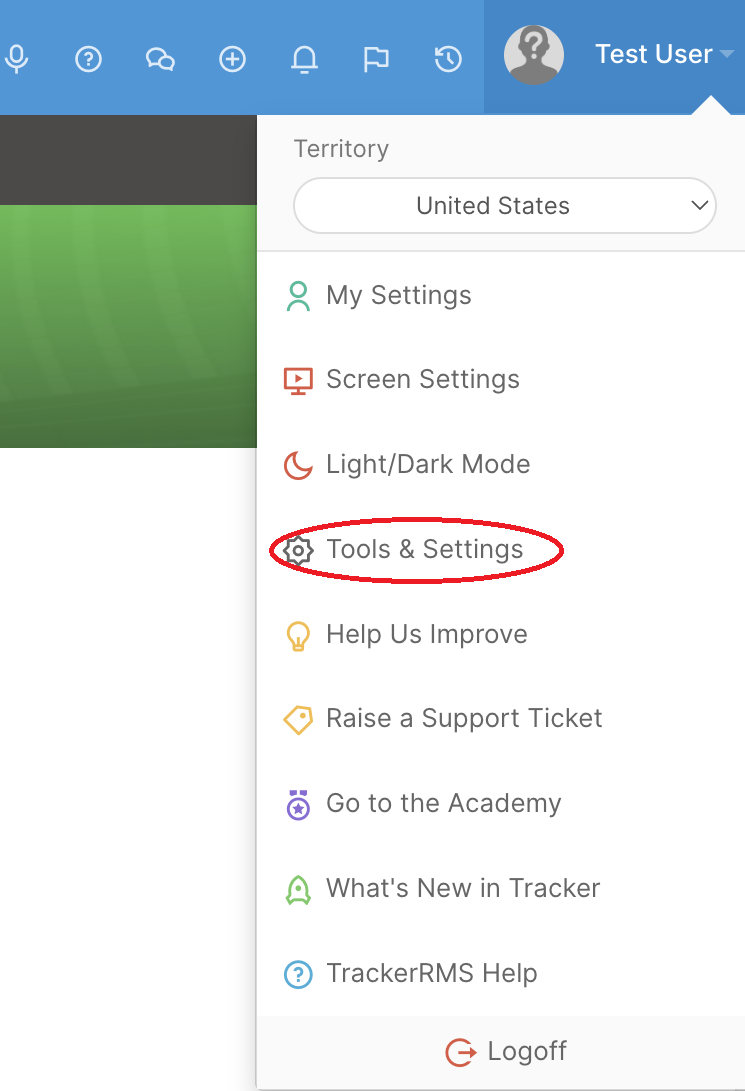
-
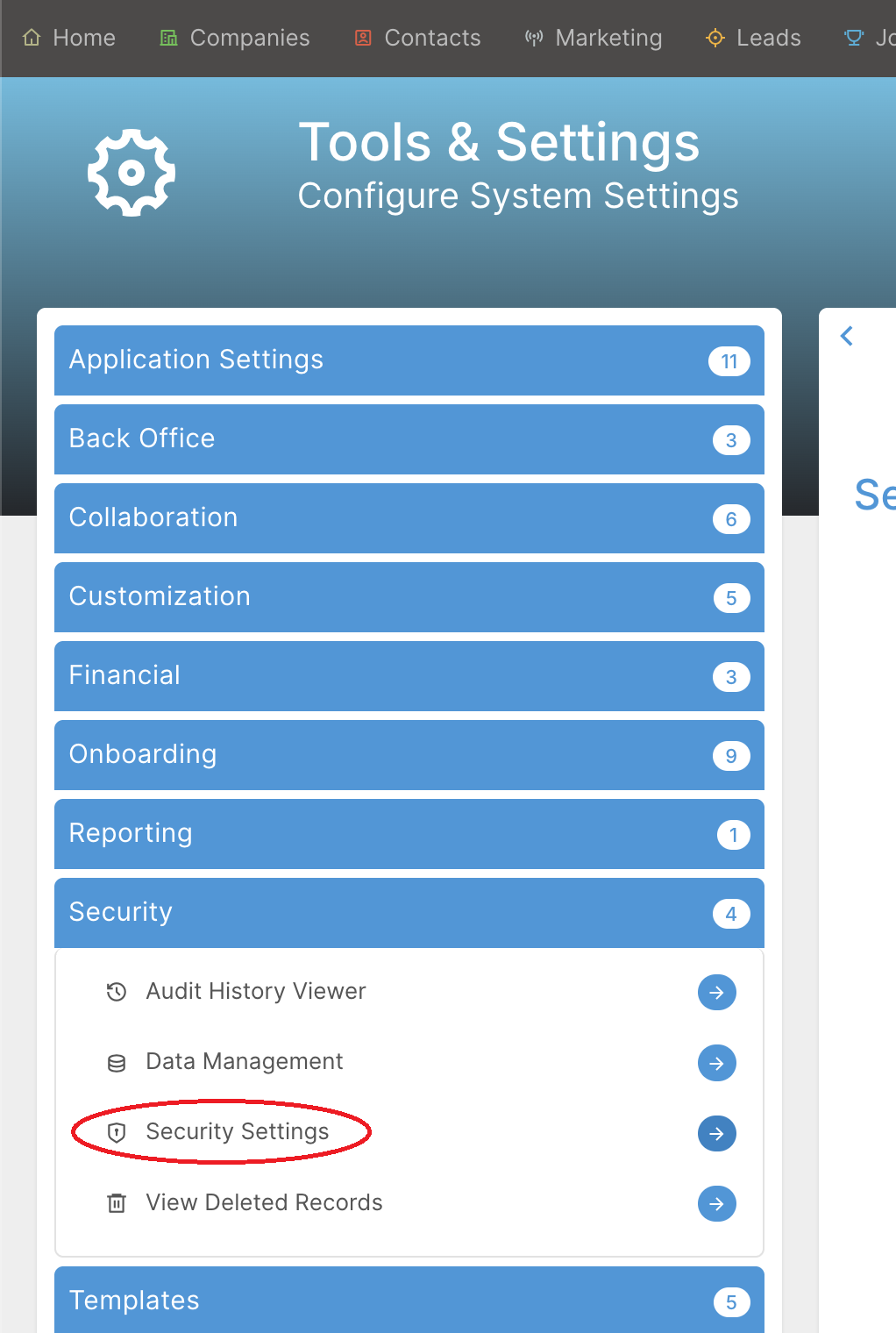
In the left sidebar, expand
Securityand clickSecurity Settings. -
Scroll down to the API section.
-
Under
Generate Access Token, clickGenerateto create a new access token. If an access token is already displayed, you can copy and use the existing token.
Updated about 1 month ago
Did this page help you?