
MHR Global
Generate a Personal Access Token
-
Log in to People First using your credentials.
-
From the landing page, click the menu icon (☰) in the top-left corner.

-
Navigate to
Administration → Settings → Inbound Integration.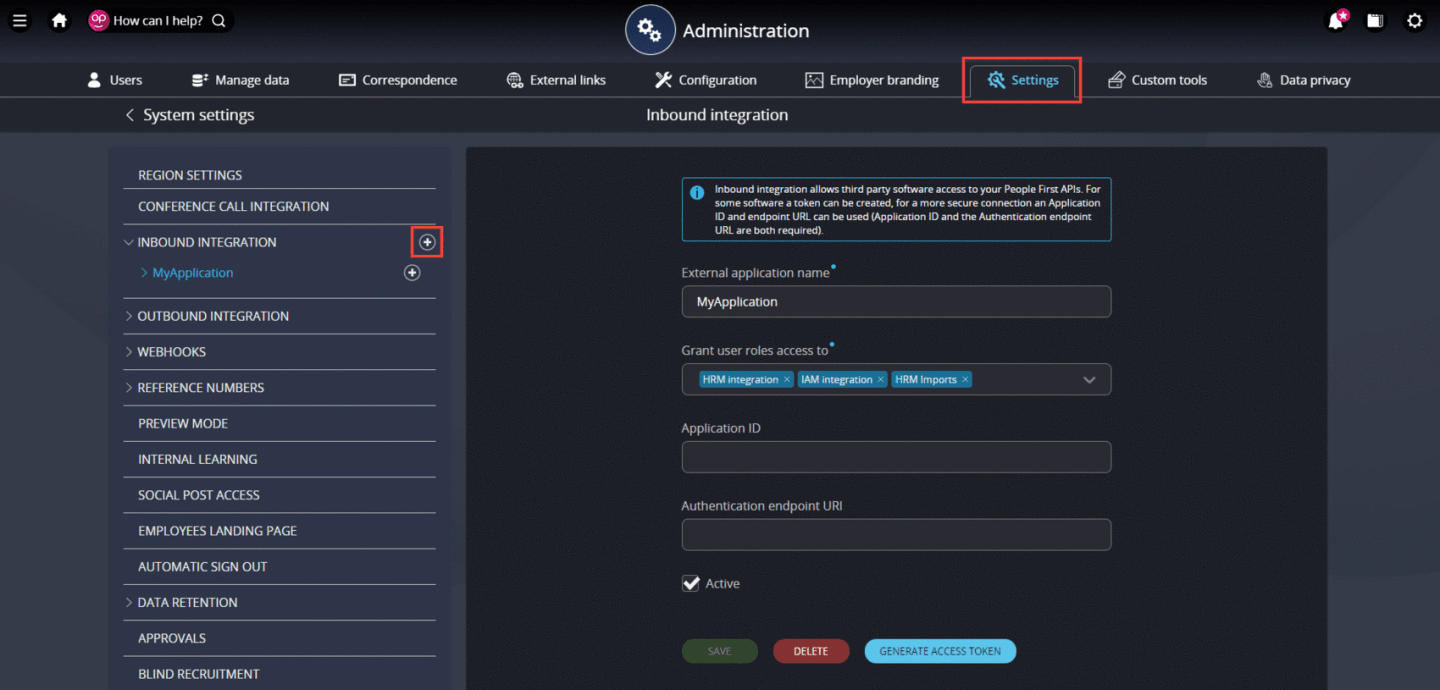
-
Click the + icon next to Inbound Integration to open the Create inbound integration page.
-
Enter the name of your application in External application name.
-
In Grant user roles access to, select the user roles that your application should have access to.
Select the maximum required roles at the integration level. You can further restrict
permissions when creating the personal access token. -
Select the Active checkbox.
-
Click Generate Access Token.
-
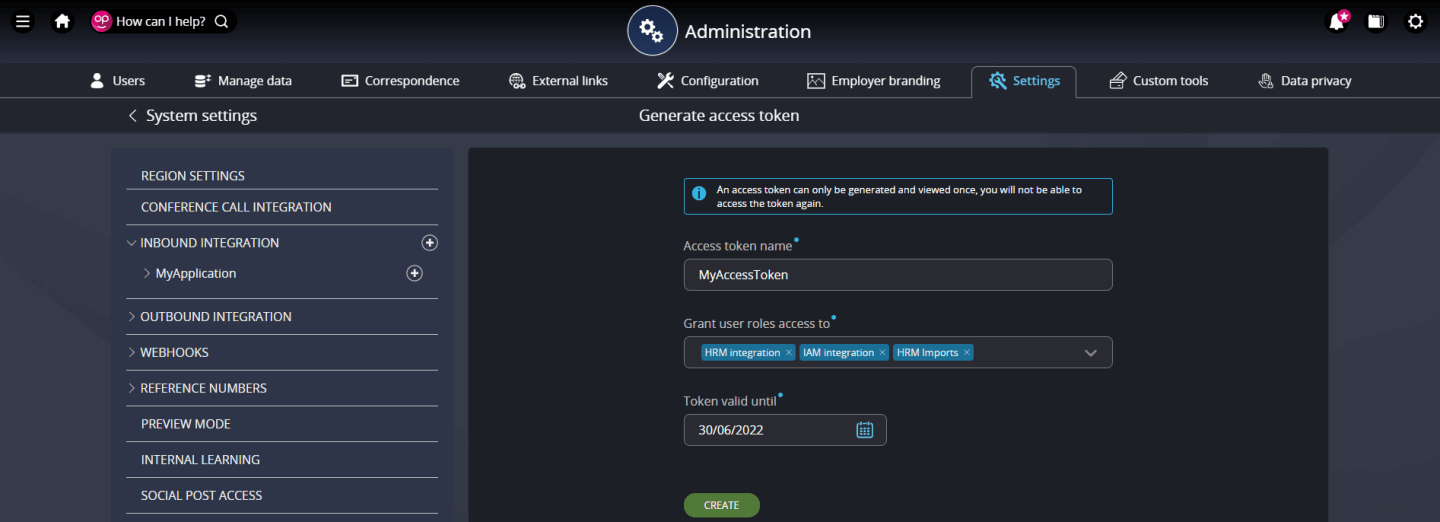
On the Generate Access Token page, enter a name for the token in Access token name.
-
In Grant user roles access to, select the roles that this personal access token should have access to.
-
Enter the token's expiration date in Token valid until.
-
Click Create.
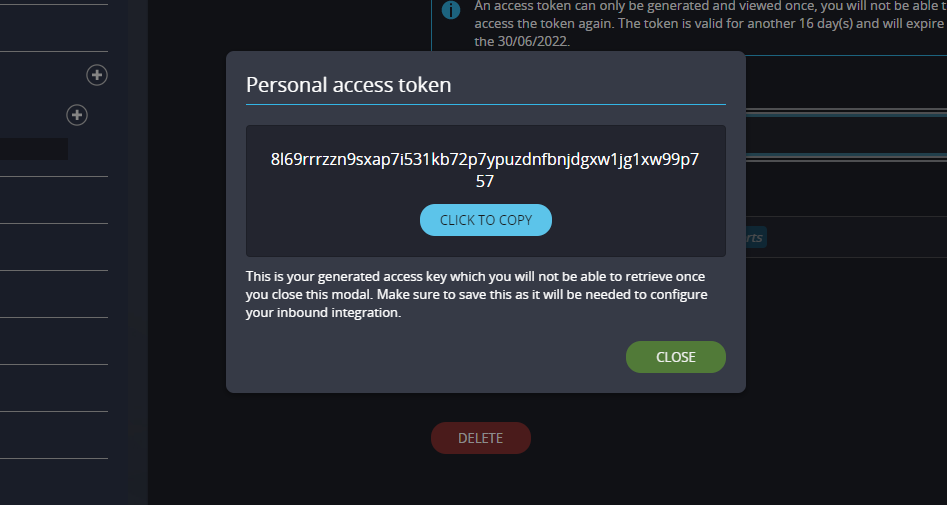
You will now be presented with a screen showing the
Personal Access Token, that you will need for MHR Global integration with Knit.
Updated about 2 months ago