

Attio
Attio Integration Guide
Authentication Type
Choose Access Token if you have permission to create one in your Attio workspace, otherwise select OAuth.
Access Token
-
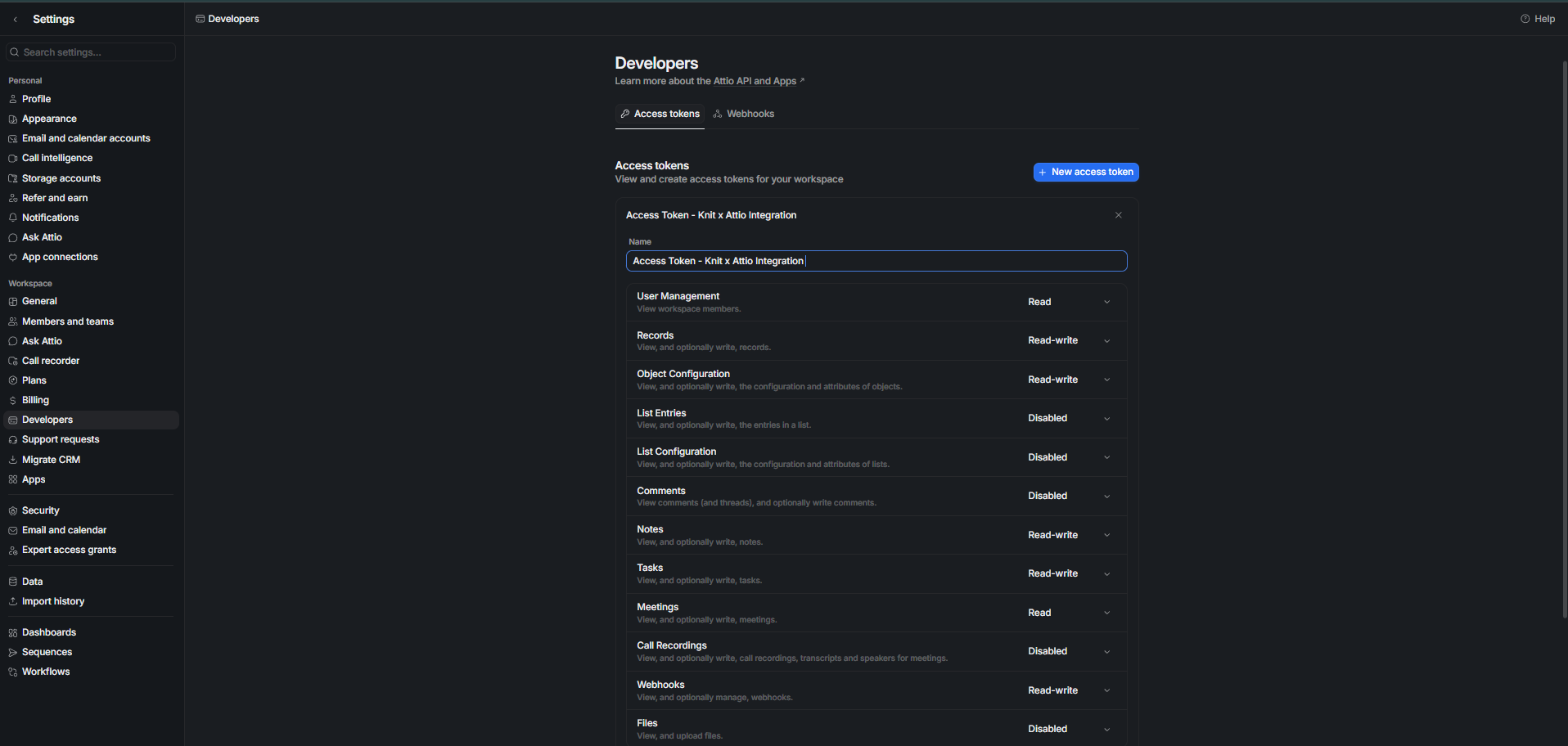
From the dropdown beside your workspace name, click Workspace settings.
-
Click the Developers tab.
-
Click + New access token.
-
Give the token a name.
-
Set the appropriate scopes and click Save changes.
-
Copy the access token and use it during integration setup.
OAuth
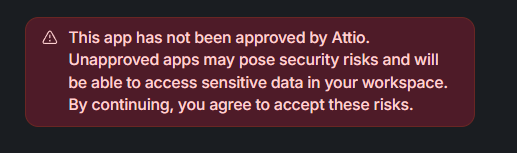
By default, Knit's OAuth app is used in the authorization flow. The Knit app is currently under review by the Attio team, so you may see a warning that it hasn't been approved yet.
To use your own OAuth app instead:
-
Create an app at build.attio.com.
-
Add
https://app.getknit.dev/oauth/authorizeas a redirect URI and enable the relevant scopes (mentioned above in the access token section).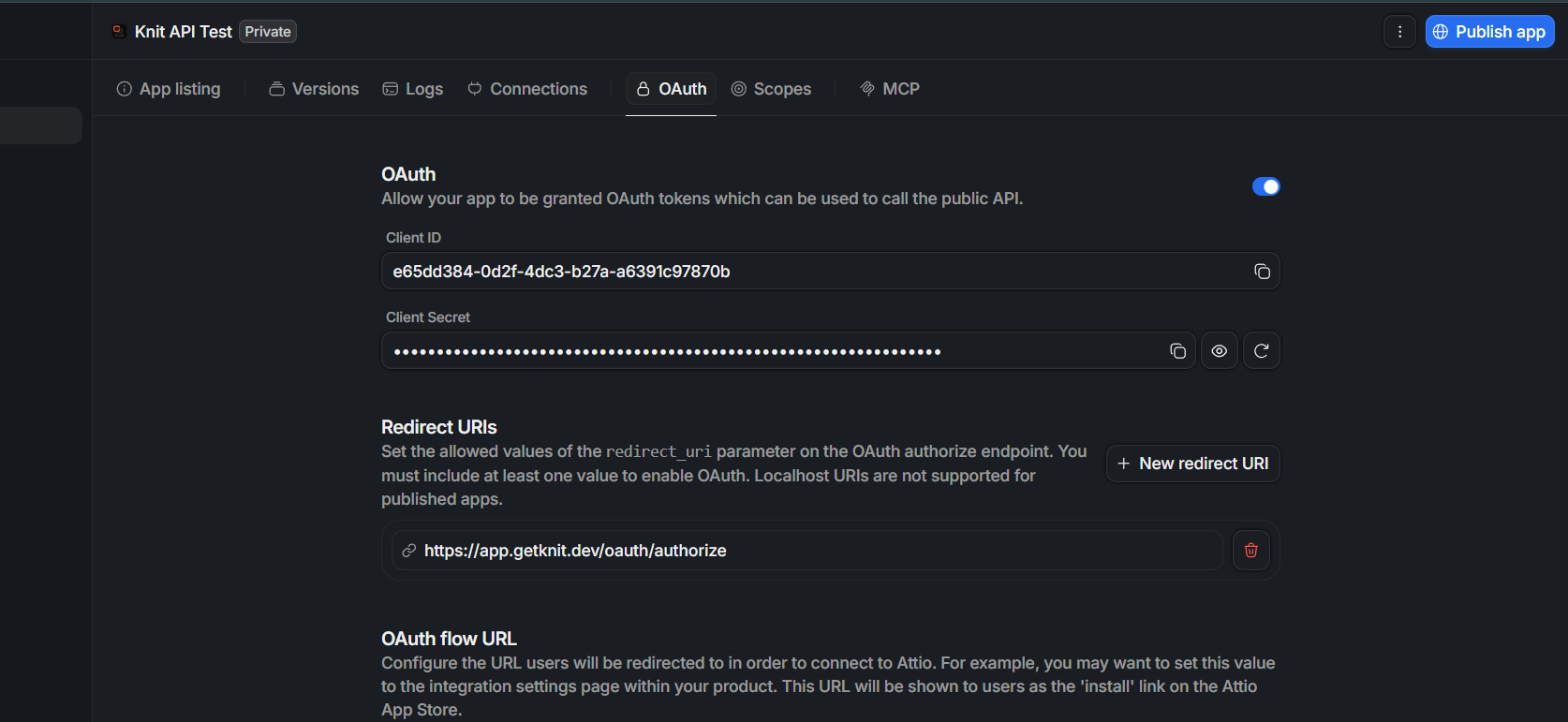
-
Share your Client ID and Client Secret with the Knit team to use your own app in the Attio authorization flow.
Updated 5 months ago