

Hibob ATS
Creating a New Service User in HiBob
- Access System Settings
- In HiBob, navigate to System Settings.
- Create a Service User
- Click on Integrations and then select Manage within the Service Users box.
- Choose Create Service User.
- Assign a name to the Service User and click Create.
- Once created, copy both the Service User ID and Token, you’ll need these details during integration with knit.
- Configure Permissions
- Go to System Settings > Account > Permission Groups.
- Click Create New Permission Group and name it. In the Members section, select only the Service User you just created.
- Set Up Access Permissions
-
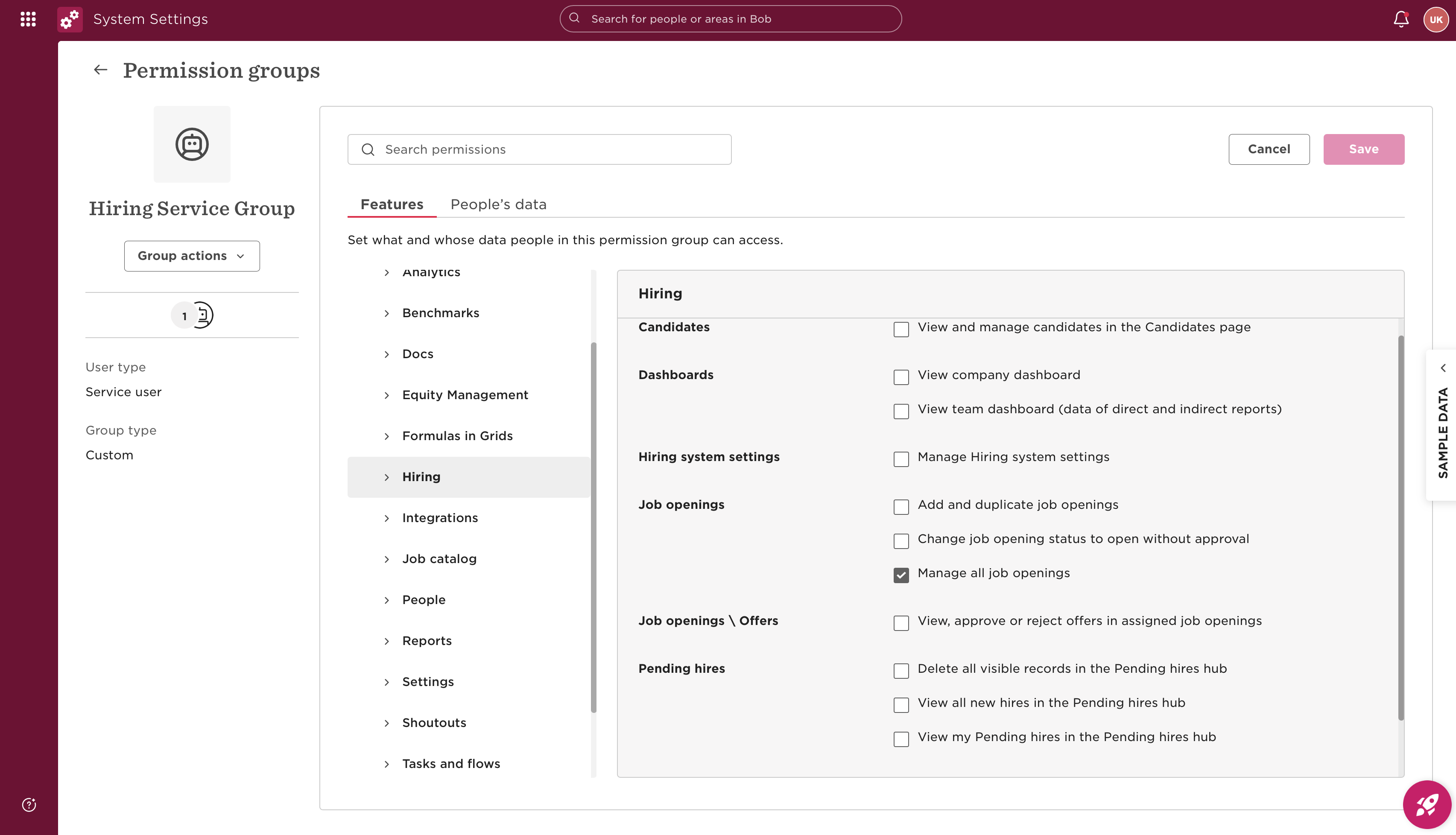
In the new Permission Group screen, select Edit Permissions (top right corner button), select Features -> Job Openings -> Manage All Job Openings scope (which is needed for Candidate, Job and Application Syncs and APIs).
-
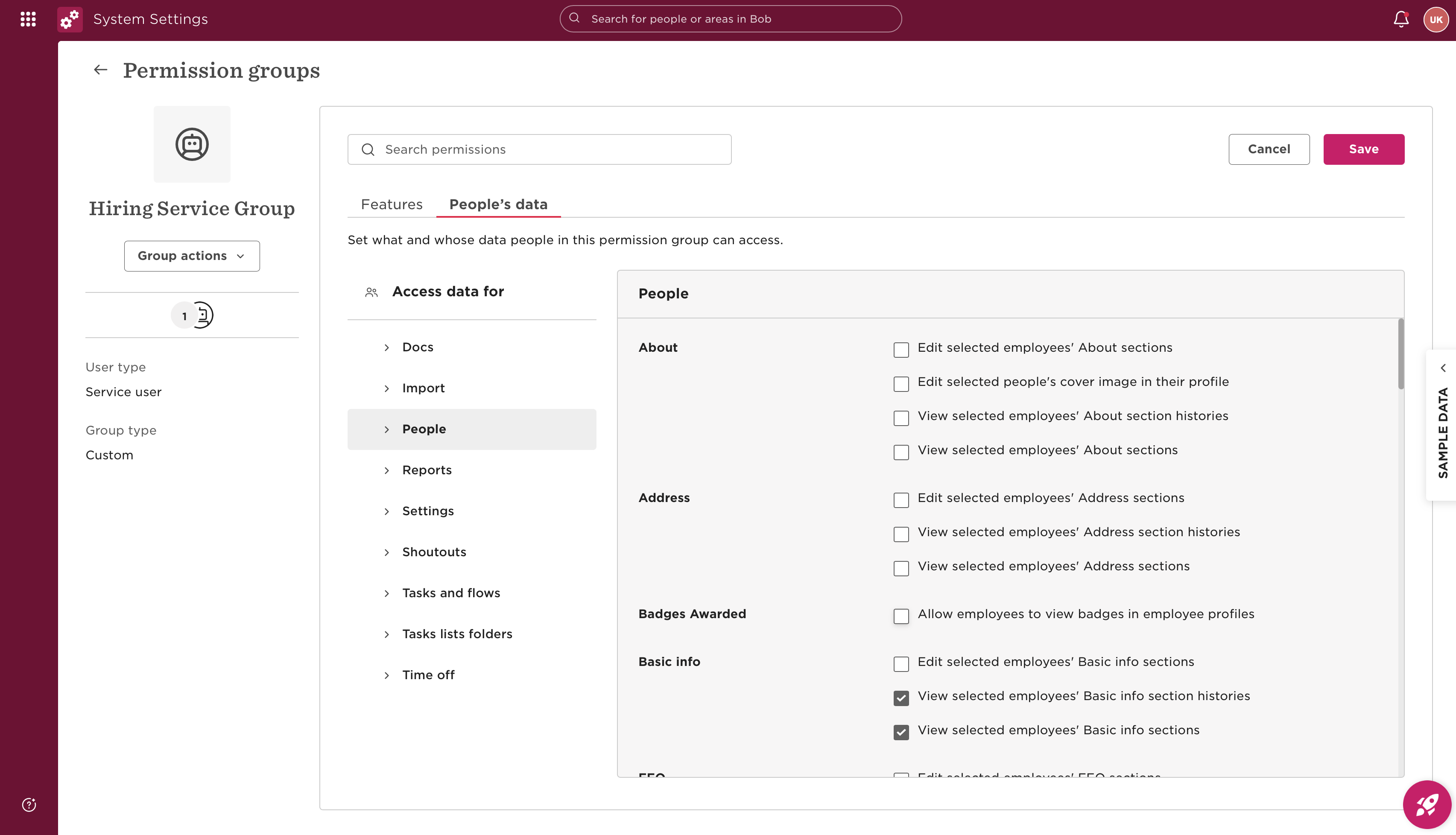
You can also select permissions related to Users API - People's Data -> [Category]-> View selected employee's [Category] section, where category can be Personal contact details or Basic Info, depending upon user's choice for scopes.
-
Grant the relevant permissions.
-
Click Save and Apply Changes.
-
For detailed information, please refer to this link.
Updated 4 months ago
Did this page help you?