

SAP SuccessFactors OIDC Integration Credentials
Find your SAP SuccessFactors API Server URL
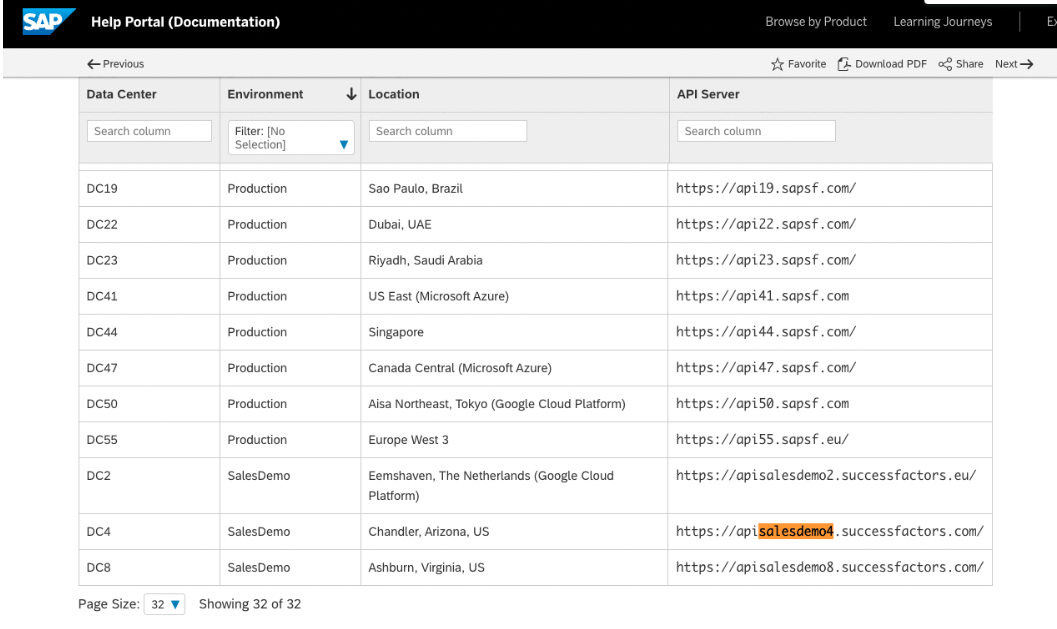
- To find your API Server URL, go to this link.
- In the listed API Server URLs, search for the environment that matches your subdomain. For example, if your domain was https://salesdemo4.successfactors.com, search for salesdemo4.
-
Copy the entire URL. In this example, it would be: apisalesdemo4.successfactors.com
-
Enter your SAP SuccessFactors API Server URL into Knit’s UI Auth component.

Step Two: Generate Client Credentials
-
Sign into the administration console of your SAP Cloud Identity Services instance.
-
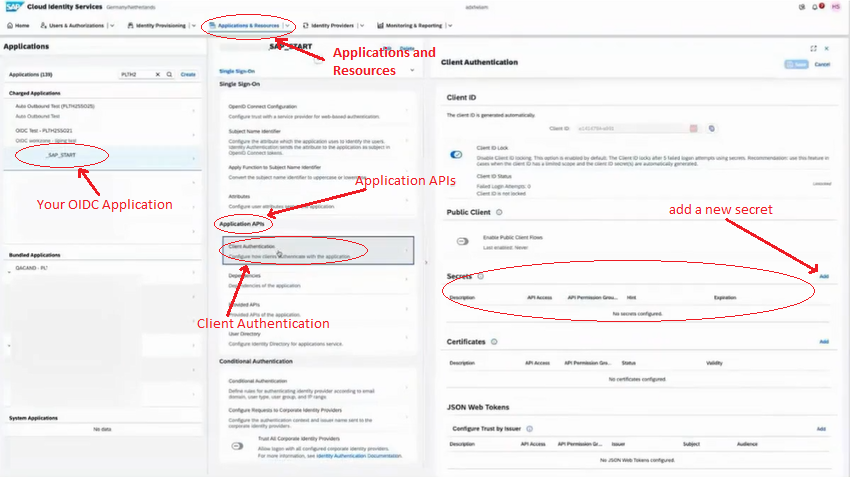
Navigate to Applications and Resources > [Your OIDC Application] > Application APIs > Client Authentication > Secrets, and add a new secret.
-
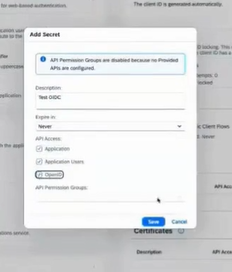
Fill the Description and Api Access info in popup window and Save it.
-
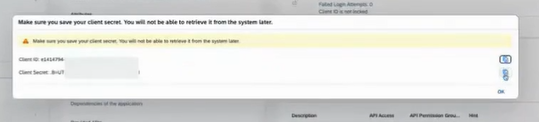
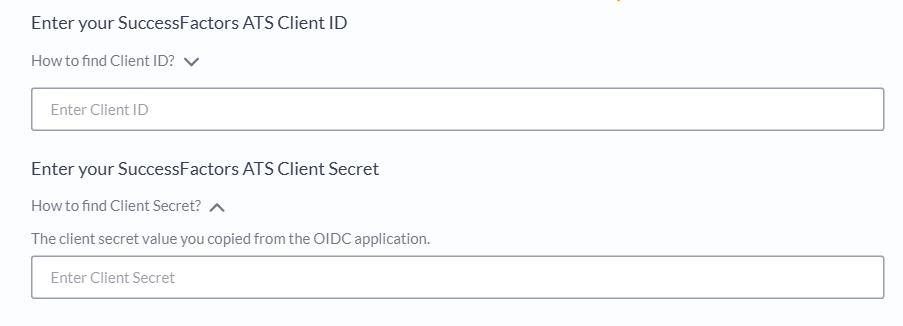
Once you obtain Client ID and Client Secret, enter them in Knit’s UI Component.
Step Three: Find Cloud Identity Service host name
-
Sign into your SAP Cloud Identity Services instance.
-
You can find the server host name in the URL of your Identity Authentication instance. For example, if your domain was https://efgh.accounts.com/ then efgh.accounts.com is your service host name.
-
Once you obtain service host name, enter it in Knit’s UI Component.

Step Four: Find Dependency Name
-
Sign into your SAP Cloud Identity Services instance.
-
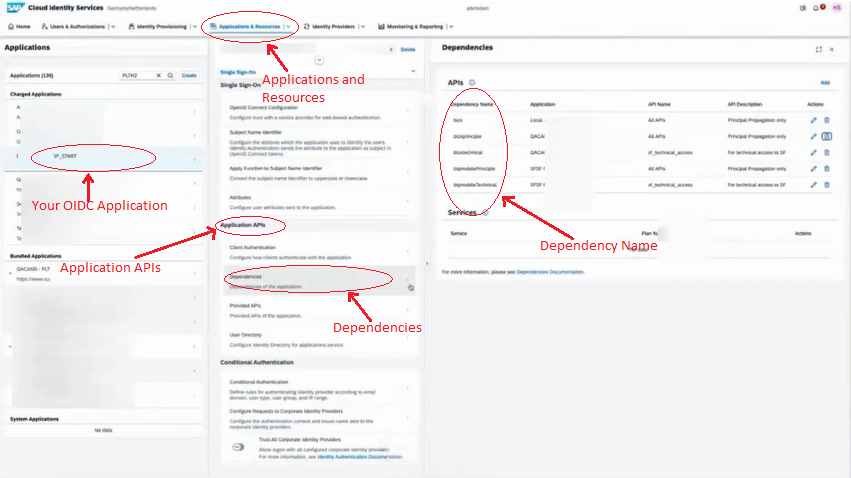
You can find the Dependency Name value in the Identity Authentication administration console under Applications and Resources > [Your OIDC Application] > Application APIs > Dependencies > APIs. Use the name in the Dependency Name column.
-
Once you obtain Dependency Name value, enter it in Knit’s UI Component.

Step Five: Find your SAP Username (Optional)
-
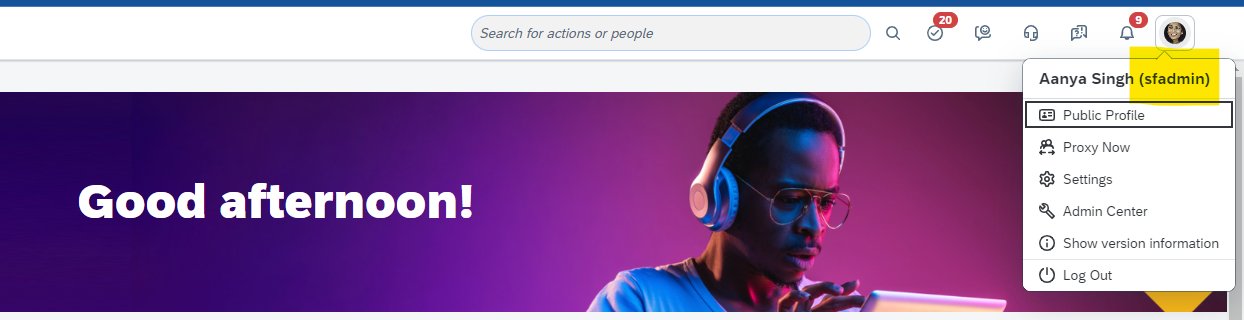
To find your SAP SuccessFactors username, go to the upper right hand side and click on your profile image to view your username. NOTE: The username is not your email address.
That's it! Click on submit, and if you've entered the credential correctly, you should be able to see that the Authorization has been successfully completed.
Updated 5 months ago